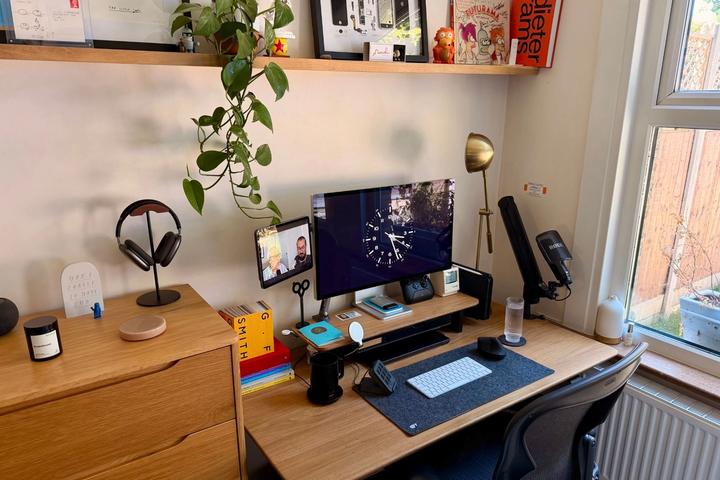
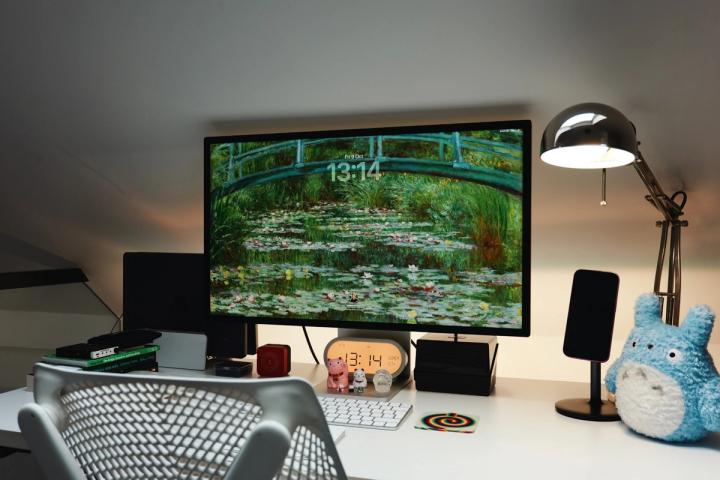
Lilit Balagyozyan is a Product Designer at Kickstarter, working on the payments team.
Follow Lilit on Twitter, Behance and LinkedIn.
On the desk20
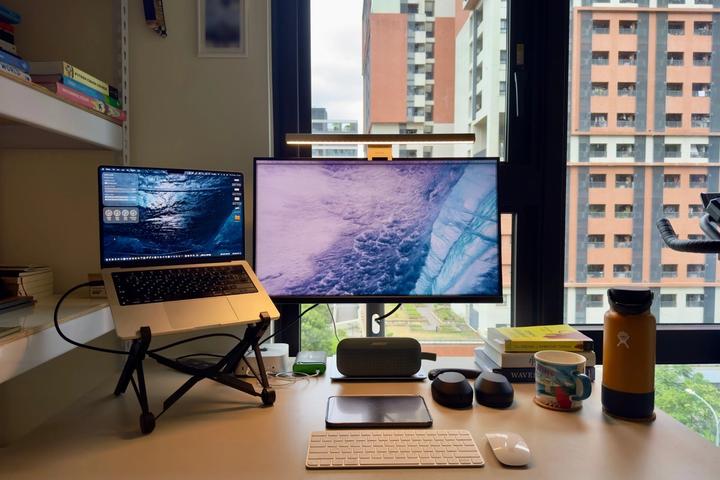
- Computer M1 MacBook Pro (16-inch, 2021) 32GB RAM, 1TB
Personal laptop. I went all out on this machine with the intention to practice 3D modeling/rendering with Blender later this year.
On 64% of the desks we’ve published - Computer MacBook Pro (16-inch, 2019) 1TB
Work laptop
On 64% of the desks we’ve published - Mouse Apple Magic Trackpad Shop
I have one for each laptop
On 19% of the desks we’ve published - Keyboard Apple Magic Keyboard Shop
I have one for each laptop. For my work keyboard I designed DIY stickers to label my Zoom hotkeys.
On 26% of the desks we’ve published - Headphones Apple AirPods Pro Shop
My preferred headphones. I just wish the battery life was longer.
On 16% of the desks we’ve published - Hub / Dock Apple Lighting Dock Shop
To charge my Apple AirPods Pros and iPhone
- Headphones Bose Noise Cancelling Headphones Shop
I used to share an office with my partner so we both wore these to prevent our microphones from picking up each other’s voices during overlapping meetings. Fantastic battery life.
- Monitor Dell UltraSharp 27 4K USB-C Monitor - U2720Q Shop
Work monitor
- Monitor Philips 4K Ultra HD LCD Monitor
Personal monitor. I love it, but no VESA mount means I needed to buy an arm mount to hold it up.
- Webcam Logitech HD Pro Webcam Shop
- Desk Butcher Block tabletop from Homedepot Shop
which we stained lightly
- Monitor Arm Fully Jarvis White Monitor Arms (2x) Shop
These are so utterly beautiful. They have a dual monitor arm, but I bought 2 separate ones so I have the freedom to modify my set up in the future.
- Desk Fully Jarvis White Frame/Legs Shop
The legs on these are set back rather than centered, which I really like the look of. It works like a charm.
- Accessories IKEA HELMER Drawer Unit Shop
- Chair BenchPro Chair Shop
These were the chairs we used in our design studio and I immediately hunted them down upon graduating from my design program. I intentionally looked for a chair that was made for counter to bar height, which I prefer for focused work. This also means I almost always have my desk between bar and standing height.
- Accessories Rubber Office Chair Casters
I love these. They are very gentle on the floor and make no sound. My only issue with them is that I set my chair to bar stool height so feet are dangling, and so I need to anchor myself in place with my elbows otherwise I occasionally roll away
- Accessories Analog retro clock
I find analog clocks help me visualize (and thus, manage) time better. I always keep one within eye view of my work stations.
- Accessories Marble Coasters Shop
I’m terrified of coffee staining my beautiful butcher block table
- Laptop Stand Upright laptop stand Shop
High on my requirements list was finding a stand without a logo stamped somewhere on the front, somehow a surprisingly rare feature.
- Hub / Dock Twelve South StayGo USBC hub Shop
Love this thing
On the screen16 apps
- Figma
For product design work and collaboration. It’s also where I make my habit tracker each week, build brand elements, prepare to print stickers, etc.
- Adobe Creative Cloud
I use a good mix of Illustrator, Photoshop, AfterEffects, Indesign for high fidelity graphic design work.
- Adobe fonts
Essential for exploring logos and branding and works together with Webflow
- Webflow
for my portfolio, and for building websites in general
- Coda
For documenting & organizing my life and projects
- Miro
For flowcharts and diagrams
- Apple Mail
For an aggregation of all my emails. I find the interface much smoother than gmail.
- Pinterest
For mood-boarding and inspiration. It’s the best visual search engine in the world, I’m constantly amazed by it.
- Slack
For collaboration and communication
- Freepik
For vectors/illustrations
- Behance and Dribbble
For visual design inspiration
- Noun Project
For icons
- Google Chrome
Inspect and extensions are a must have, though the interface could be more minimal.
- Twitter
For design community and design news
- Concepts App (on iPad)
For sketching ideas when erasing and copy/pasting is preferred. Otherwise I use a roll of butter paper to sketch on
- Unsplash
For stock images
From the census
Checked against every interview we’ve published. The Top 50 ›
26A Dell UltraSharp is in 26 of the 527 gear lists we’ve published, this one included.
No. 1AirPods Pro are the most-listed pair of headphones in the archive.
Liked Lilit’s desk? There’s a new one every Saturday.
One creator’s workspace each week: the photos, the gear, and how they work. Free.
Read by 21,000+ people at Stripe, OpenAI, Anthropic, Figma, Linear and more · Next issue Saturday


 Jonathan ReedNo. 551 · Graphic Designer and App Developer


 Apple
Apple Designers
 Founders
 IKEA
IKEA Minimal
 Plants
 Standing Desks
 Sheds & Garages
 How five designers actually use Figma