
 Jonathan ReedNo. 551 · Graphic Designer and App Developer


 Apple
 Designers
 Founders
 IKEA
 Minimal
 Plants
 Standing Desks
 Sheds & Garages
 How five designers actually use Figma

Tom Hitchins has been building Byte Review since 2015, where he has been sharing a calm, design-forward perspective on tech and productivity.
His Byte Review YouTube channel boasts 235k subscribers, nearly 400 videos, and 75,000,000+ views.
When he was previously featured in edition #247, his workspace reflected the way he was working back in 2023.
Since then, both Tom's work and his environment have slightly shifted. This updated 2026 setup includes much of the same — a creative studio that has been carefully curated to highlight his work as a creator.
Alongside Byte Review, Tom also co-runs Kiroku Studio, a digital lifestyle brand exploring slower, more mindful creative projects — including a lofi music collection made for working, relaxing, or somewhere in between.
Follow Tom on YouTube and Twitter.
Can you walk us through your current desk setup?
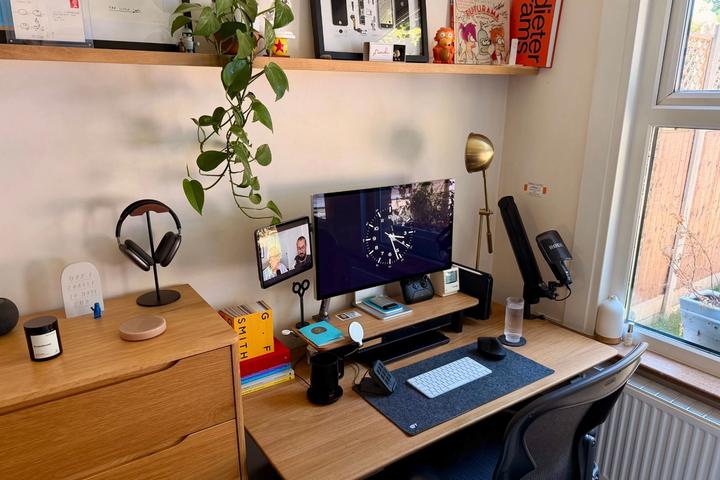
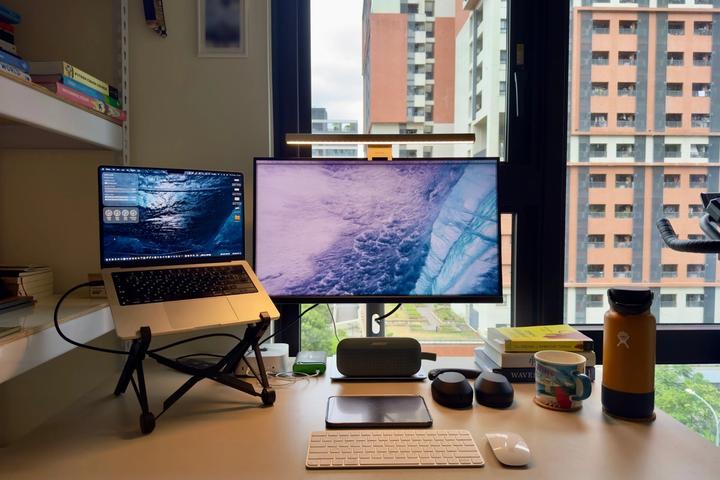
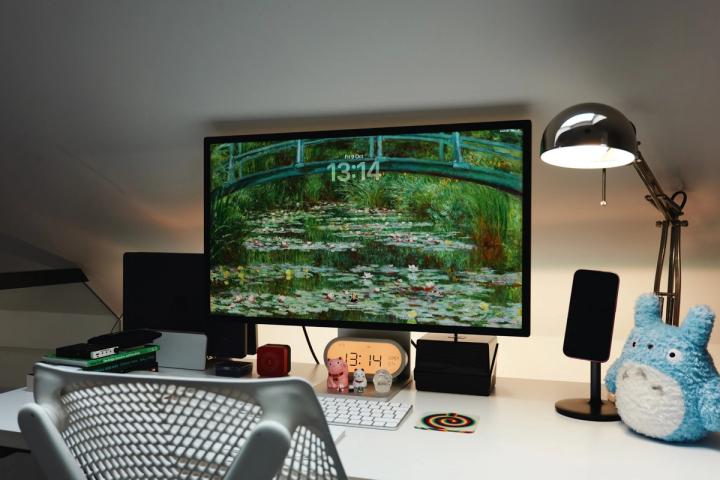
My current setup focuses around a classic Apple setup, so a Mac Studio for the computer combined with Studio Display for the monitor, they're both sitting on a desk shelf from Grovemade which I'm a big fan of - great for a complete look and storage! For a keyboard and mouse I'm using the Keychron Q2 Max which is a beautiful thing along with a MX Master 3s. I've got a nice phone stand too, some Nothing Headphones which are a recent edition and a small lamp which helps set the ambiance. I also have a few books, trays, and other little things around which help out too but go watch the video for a much better breakdown, haha!

What desk are you using, and why did you choose it?
It's a custom IKEA build, Karlby kitchen countertop combined with some standing legs from flexispot. I had a very similar setup to home and it worked well there so having the same thing at the studio made sense - it's big, high quality, and looks great in videos!

How does your current workspace support the way you work day to day?
Pretty much everything I have is to support production on my YouTube channel and Instagram. The main aim was to ensure every angle in the studio looked good to film from so I can get the shots I want really easily. That's absolutely been the biggest help with the current setup. I'm in the Apple ecosystem too so having a Mac Studio, iPad, iPhone, MacBook Pro, and Studio Display all work together really speeds up my video creation workflow.

How has your workspace evolved as your work has changed?
The big change was moving into a studio space from my home office so that allowed me to design a space from the ground up to support what I do. I've got dedicated spaces to film youtube videos which I didn't have before so I don't have to set things up and down which is great. I've also made space to play guitar, pack orders from my online store, and even a small coffee station - they all help in their own way!

What is the most recent item that you have added to your workspace and why?
The Nothing Headphone (1) is my latest edition. I generally don't like over ear headphones like this but the design and functionality of these are great. They also sound good out the box!