

 Jonathan ReedNo. 551 · Graphic Designer and App Developer


 Apple
Apple Designers
 Founders
 IKEA
IKEA Minimal
 Plants
 Standing Desks
 Sheds & Garages
 How five designers actually use Figma
Logitech MX Master 3
Logitech MX Master 3 is one of the most popular mouse choices among Workspaces creators, appearing in 47 of 551 creator setups (9%). It skews toward designers, engineers and founders.
47 desks No. 3 of 102 mice and trackpads No. 11 in the Top 50
 No. 534 Maxime Heckel
  No. 525 Brett Jackson
  No. 509 Zineddine Benhaya
 By the numbers
Of the 551 in the archive
Used in 47 of 551 Workspaces
Of 102 mice and trackpads
Often on the same desks
Alternatives to Logitech MX Master 3
All mice and trackpads ›The most-used mouse picks in real setups, other than Logitech MX Master 3.
99 desks · $129
A large glass trackpad with the full set of macOS gestures. View › Apple Magic Mouse78 desks
View › Logitech MX Master 3S46 desks
An ergonomic wireless mouse with quiet clicks, a fast scroll wheel and a thumb wheel. Compare with Logitech MX Master 3 › Logitech MX Master 2S13 desks
View ›The most used mice and trackpads
102 in allCompare
All 47 desks
 No. 534 Maxime Heckel Frontend Software Engineer based in New York City
  No. 525 Brett Jackson Designer and Owner of Sukoya Design
  No. 509 Zineddine Benhaya Graphic Designer from Turkey
  No. 506 Shea Cohen Content Creator and Freelance Designer living in Los Angeles
  No. 451 Lars Tech Blogger and Analytics Consultant from Scandinavia
  No. 443 Andrew Yeung Hosts tech parties, events, and dinners that cater to tech founders and investors
  No. 420 Kevin Twohy Product Designer and Strategist from California
  No. 409 Ivan Nedyalkov Indie Developer and designer living in Varna, Bulgaria
  No. 401 David Bustos Email Marketing & Copywriting Specialist from Spain
  No. 383 Charlie Brown UI/UX designer from the UK
  No. 378 Japes Fawcett Graphic and Web Designer
  No. 366 Kirk Mihelakos Cinematographer, Editor and Colorist located in Melbourne, Australia
  No. 318 Michael Luchen Director of Product at Float.com
  No. 317 Hunter Hammonds Founder & CEO of Assembly
  No. 316 Dan Otis Senior Visual Designer based in Sacramento, CA
  No. 311 Sayed Essam Multidisciplinary Product Designer focused on creating memorable digital experiences
  No. 305 Benten Woodring Lead UI Designer
  No. 298 Amy Schwartz Design Leader living in Chicago, IL
  No. 290 Kevin Bhagat Senior Product Designer and digital creator based in Denver, Colorado
  No. 286 Rebecca Ramos Brand Designer at Lattice and a Musician based in Atlanta, GA
  No. 265 Fatih Arslan Software Engineer at PlanetScale
  No. 261 Yann-Edern Gillet Product Designer, Engineer and Maker working from Paris, France
  No. 258 Sait Alanyali Product Designer & Founder, PLA Concept
  No. 247 Tom Hitchins Content Creator from the United Kingdom
  No. 232 Mark Phillips Product Strategy Adviser with over 30 years of experience working in the tech industry
  No. 208 Tim Leland Software developer and the creator of URL shortener, T.LY
  No. 206 Jim Raptis Frontend Developer and Solo Founder
  No. 200 Andrew Yeung Business Strategy & Operations Lead at Meta
  No. 196 Brock Herion Software Developer, Writer, and Creator from the Chicago suburbs
  No. 193 Tim Benniks Principal Developer Advocate at Uniform with a focus on developer relations, community building, and content creation
  No. 190 Andy Sparks Executive Coach who works with founders to build companies people love to work at
  No. 189 Gaurang Alat Growth Product Designer working at Thumbtack
  No. 165 Leo Keller Digital Creator and Filmmaker from Germany with a primary focus is on producing videos about filmmaking and photography
  No. 163 Ian Zelbo 20 year old freelance 3D artist
  No. 160 Jason Long Product Designer at PlanetScale. He was previously at GitHub where he worked on Actions.
  No. 136 Gavin Nelson Product Designer at GitHub working on GitHub Mobile
  No. 133 Ida Yalzadeh Postdoc at the Charles Warren Center at Harvard
  No. 131 Ben Fryc 3D Artist and Designer at Polywork
  No. 129 Josh Millgate Head of Design at Super, a website builder for Notion
  No. 128 Ogeh Ezeonu Freelance Product Designer currently working as a Senior Product Designer at Toptal
  No. 116 Pedro Duarte UI developer interested in design systems, jamstack, user/dev experience and under engineering
  No. 112 Alex Dales Design Intern at Autodesk and 3rd year student at the University of Waterloo
  No. 110 Edem Kumodzi Software Architect and Program Manager at Microsoft
  No. 104 Ch Daniel Currently focusing on building Simple.ink, making it incredibly easy to create no-code websites in one click
  No. 94 Emily Vu Associate Product Manager at Spotify
  No. 93 Jamie Brittain Product Designer and Front-end Developer at Fatsoma
  No. 35 Joey Banks Product Designer based out of Columbus, OH
 Questions
Is the Logitech MX Master 3 worth it?
Logitech MX Master 3 is one of the most popular mouse choices among Workspaces creators, appearing in 47 of 551 creator setups (9%). It skews toward designers, engineers and founders.
What gear goes well with the Logitech MX Master 3?
In real Workspaces setups, the Logitech MX Master 3 most often appears alongside the MacBook Pro, Fully Jarvis Standing Desk, and iPad Pro. Those make a good starting point if you're building around it.
What are the best alternatives to the Logitech MX Master 3?
The most-used mouse alternatives among Workspaces creators are the Apple Magic Trackpad (99 setups), the Apple Magic Mouse (78 setups), and the Logitech MX Master 3S (46 setups).
How many creators use the Logitech MX Master 3?
The Logitech MX Master 3 appears in 47 of 551 Workspaces creator setups (9%), making it the #3 most-used mouse in the database.
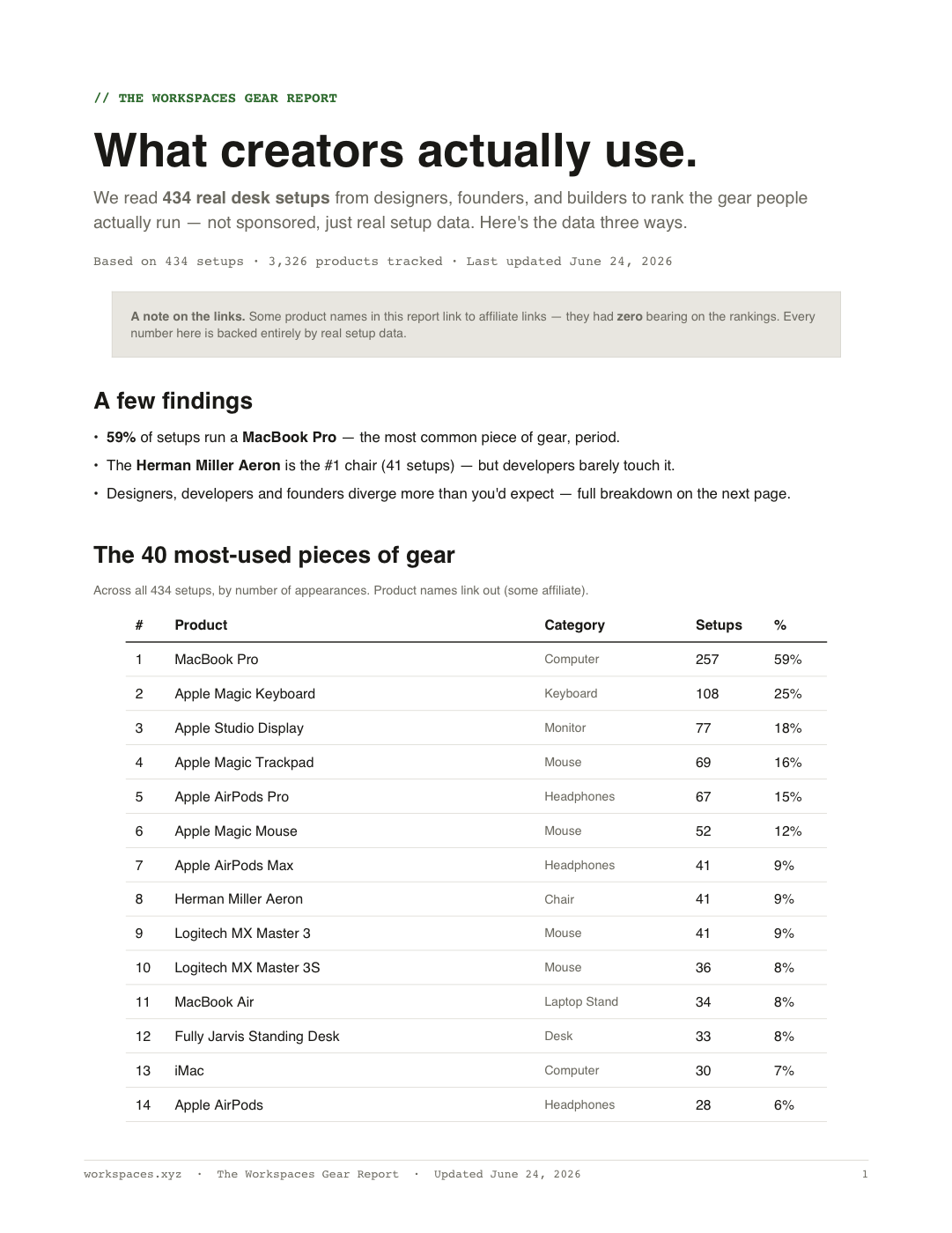
The Gear Report
What creators actually use: the 40 most-used products across 551 setups, with buy links. Free PDF.
Get the free PDF